
Gmail Sending Limit: Daily Caps & Recipients (2026)
Free Gmail caps you at 500 recipients/day; Google Workspace allows 2,000 messages and 10,000 recipients/day, max 2,000 recipients per message. Full breakdown.
19 posts
Free Gmail caps you at 500 recipients/day; Google Workspace allows 2,000 messages and 10,000 recipients/day, max 2,000 recipients per message. Full breakdown.
Gmail shares one 15 GB free quota with Google Drive and Photos. See what counts, Google One tiers, and what happens when you hit the cap.

Google Calendar lets you invite up to 200 guests directly (100,000 via Groups). Guest lists hide above 50. See all caps, Meet limits, and how to invite more.
Google Drive's free 15 GB is shared with Gmail and Photos. See Google One tiers (100 GB–5 TB), Workspace pooled storage, the 5 TB file cap and 750 GB/day limit.
Google Sheets caps spreadsheets at 10 million cells total across all tabs and 18,278 columns (column ZZZ). See the rows, import and per-cell limits for 2026.
Create Gmail aliases without a new account — plus addressing, dot variations, send-as addresses, and Workspace aliases. How to make them, when to use each, and how to filter mail by alias.

How read receipts work in Gmail, who can use them, how to request one when sending, and free alternatives for personal Gmail accounts that don't have the feature.
How to lock down a Google Drive file or folder, restrict access, turn off link sharing, manage inheritance, and audit access with the Activity dashboard.
How to organize Google Drive in 2026, folder colors, starring, shared drives vs My Drive, Drive labels, search operators, and Gemini AI suggestions.
How to restore deleted files from Google Drive trash, recover files past the 30-day window, and use Workspace admin recovery tools.
Step-by-step instructions for sharing folders in Google Drive, covering specific people, link sharing, permission levels, expiry dates, and Drive for desktop.
Transfer ownership of files and folders in Google Drive. Covers single files, shared drives, Workspace domain rules, and impacts on forms and scripts.
How to upload entire folders to Google Drive, drag-and-drop, folder upload button, Drive for desktop sync, file size limits, and mobile workarounds.

Three ways to back up Gmail — Google Takeout for personal use, IMAP-to-Thunderbird for portable archives, and Workspace Vault for admin-managed retention. Step-by-step plus what each format actually contains.
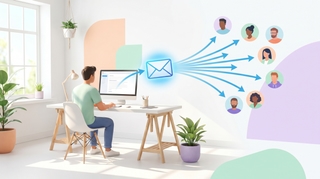
Three ways to build a Gmail distribution list — Google Contacts labels (personal Gmail), Google Groups (Workspace), and Workspace mailing lists — plus when to use each, how to send, and how to manage members.

A complete guide to email encryption in Gmail — Confidential mode, S/MIME for Workspace, client-side encryption (CSE), what each one actually protects, and what to use for HIPAA, SOC 2, and legal-privilege scenarios.
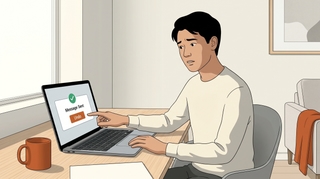
Gmail does not support true email recall — here is what Undo Send actually does, how to extend the window to 30 seconds, the workaround for Workspace users, and what to do when the email is already gone.

Step-by-step guide to scheduling emails in Gmail on desktop and mobile. Learn how to use Schedule send, edit or cancel scheduled messages, and pick the best send times.

Step-by-step guide to delegating calendar access in Google Calendar. Sharing permissions, Workspace delegation, and AI scheduling assistants.